Nvidia GeForce Shadowplay records the games you have already experienced
Nvidia GeForce Shadowplay is an add-on app for GeForce Experience which takes a recording when you play your favorite games so that you can do all the gameplays with the footage.
Nvidia GeForce Shadowplay’s two main advantages are its optimum use of your PC’s resources and an option to record the most recent minutes of your game. You can download it totally free, but your PC needs to meet certain requirements for it to work. Also, you need GeForce Experience both to use Shadowplay and to install it.
The winning shadow
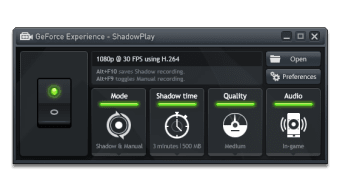
How many times have you just experienced an amazing moment in your game to then realize that you hadn’t turned on your chosen recorder? Nvidia GeForce Shadowplay aims to distance itself from the competition with its Shadow function.
Shadow lets you record the most recent minutes of your game. Just as it sounds: the Nvidia app goes back in time, as it were, and records the amazing situation you have just experienced so that you can share it with others in the form of gameplay.
In other areas Nvidia GeForce Shadowplay is a bit behind its rivals. For example, it's missing a lot of customization options for the video you’re going to record.
An optimum capture device
The second trick up Nvidia GeForce Shadowplay’s sleeve is that it benefits from its technology being the same as the GeForce cards to make optimum use of your PC’s resources. As a result, it doesn’t matter how high the graphics requirements are of the game you’re recording, the fps won’t drastically drop at any point! Your games will run seamlessly and with the highest possible quality. In this sense, Shadowplay is a better option than the legendary Fraps.
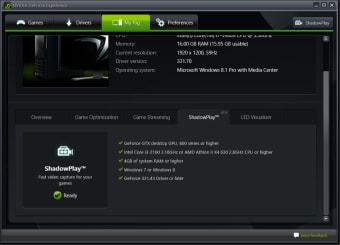
Nvidia GeForce Shadowplay only works with GeForce GTX 600 and 700 cards and only on desktop computers too. Nowadays every gamer worth their salt will meet the requirements.
Unfortunately, Nvidia GeForce Shadowplay throws up a lot of problems and sometimes doesn’t work well. Despite the fact it came out of its beta phase a long time ago, it still throws up a lot of errors, it doesn’t start up correctly, sometimes it doesn’t record even when you have switched this option on...This is a shame because Nvidia has worked for its program to be compatible with Twitch, for example.
Despite the problems mentioned, Nvidia GeForce Shadowplay is worth it. Above all if we bear in mind that it is free software. Just be a little patient. In return, all your epic moments will be immortalized for posterity.